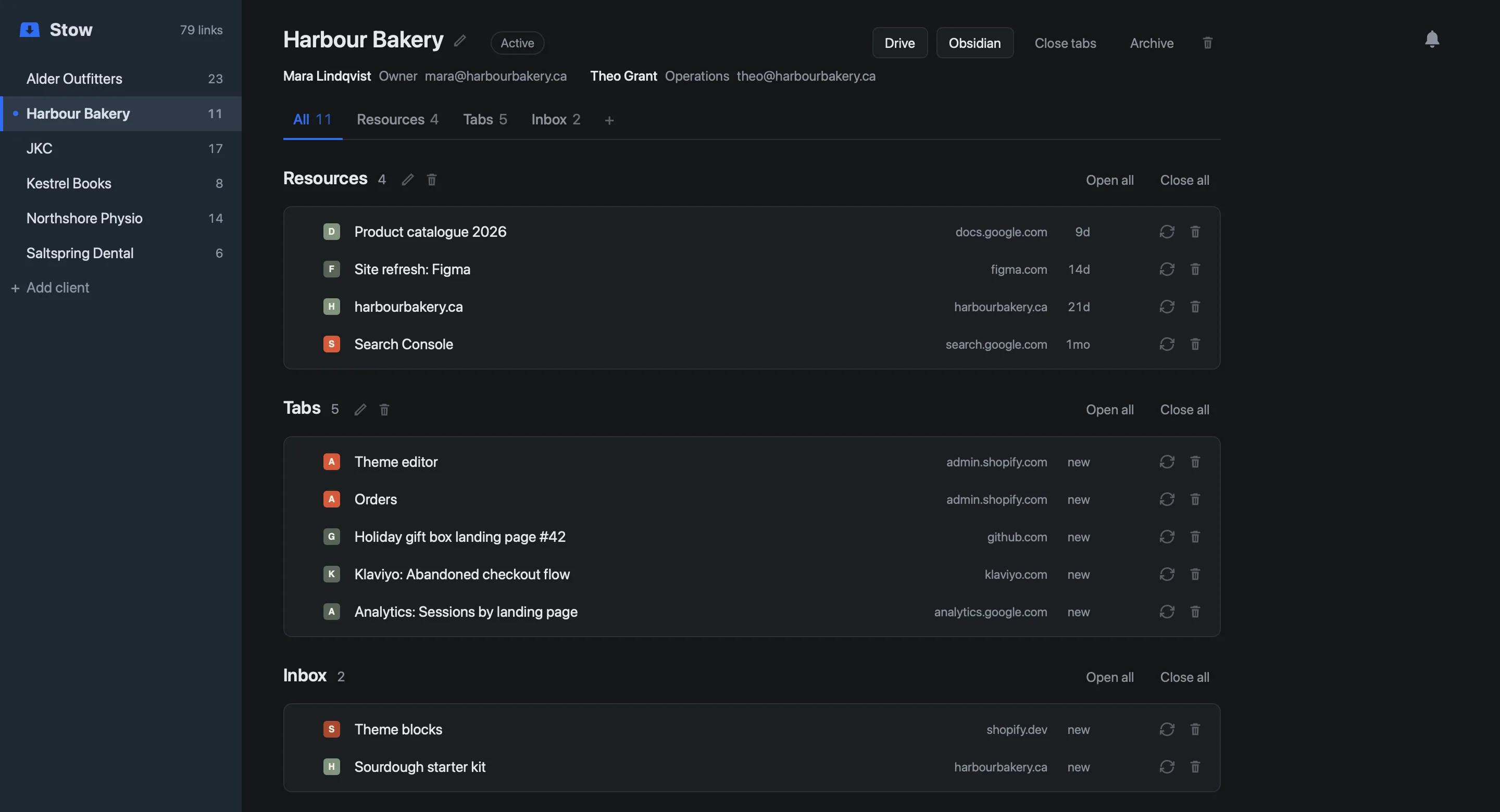
Right-click any tab to file it under a client, close it, and get back to work. When you switch clients, Stow puts away this client’s tabs and brings back the next one’s. We built it for our own client work.
Email me when it’s liveComing soon to the Chrome Web Store.
Right-click a page, a tab or the Stow icon, pick Stow tab to… and choose the client. The link is saved, so you can close the tab.
Each client gets a homepage with its resources, open tabs, inbox and contacts, plus one-click links to its Drive folder and notes.
Pick another client and Stow saves this window’s tabs, closes them, and reopens the next client’s tabs where you left off.
No account and no server. Everything Stow keeps is stored in Chrome on your computer.
Your clients, links, tabs and contacts never leave your browser. Nothing is sent to us, and there is nothing to sign up for.
Backups are optional. Connect Google Drive and Stow saves a copy each day to a Stow backups folder in your Drive. It can only see the files it created, and you can restore from any of the last 30 days.
It started as a fix for our own browser. If your business runs on a process held together by open tabs and spreadsheets, we build tools for that too.
Work with us